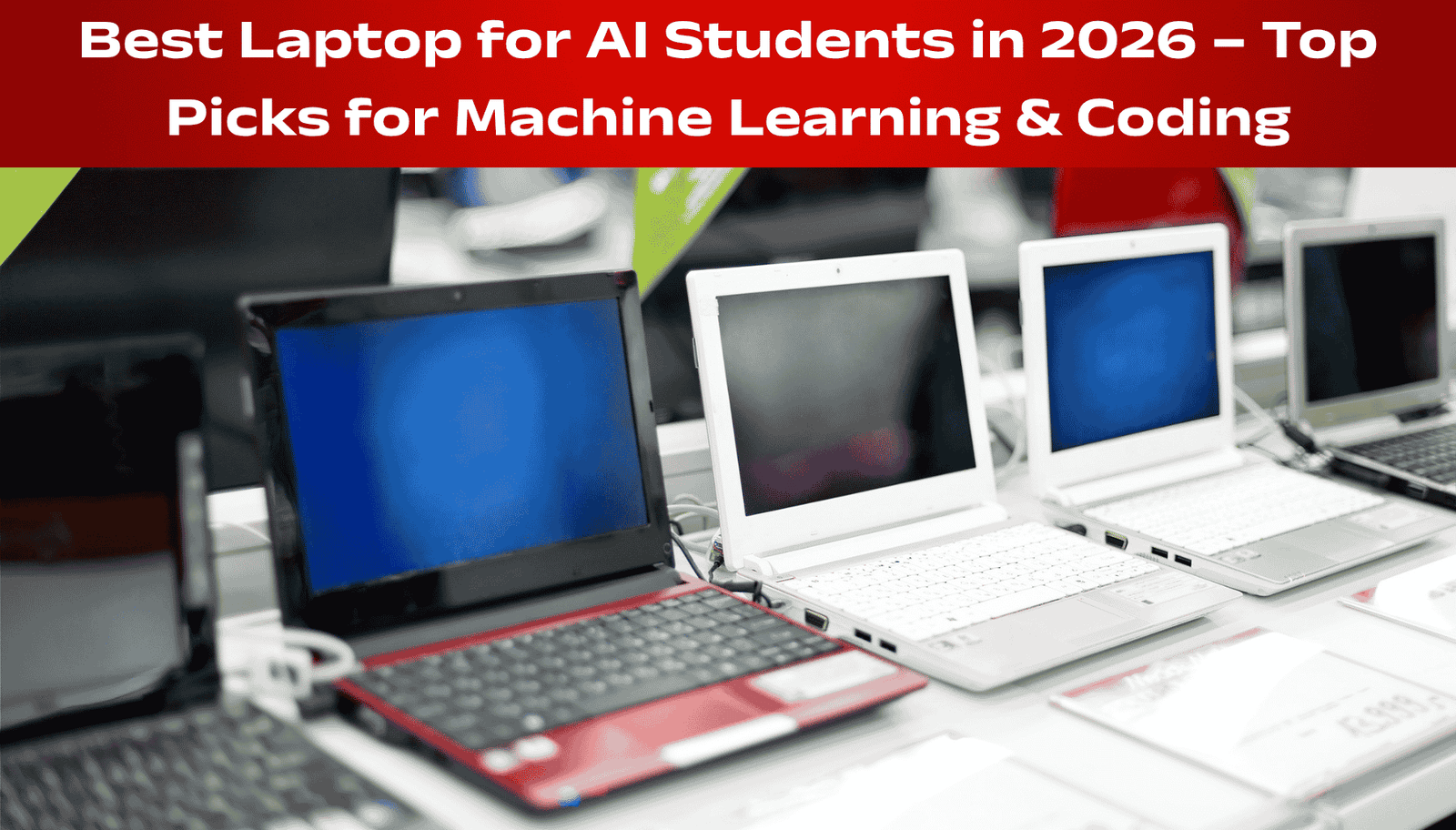
The top 5 laptops for AI students in 2026 are ASUS TUF Gaming A16 (₹89,990) for beginners, HP OmniBook Ultra 14 (₹1,89,999) for Copilot+ features, Apple MacBook Pro M4 for macOS users, Dell Inspiron 14 Plus (₹87,590) for Snapdragon AI power, and ASUS ROG Strix G16 (₹2,49,990) for advanced AI research.
AI students need laptops with at least 16GB RAM, a dedicated NPU (Neural Processing Unit) with 40+ TOPS performance, NVIDIA RTX graphics with 6GB+ VRAM, and 512GB-1TB SSD storage. The NPU is crucial because it handles on-device AI tasks like running local LLMs, machine learning inference, and real-time analytics without slowing down your main processor.
For most AI students, the ASUS TUF Gaming A16 offers the best value with AMD Ryzen AI and RTX 4050 at under ₹90,000. For serious machine learning work, invest in the ROG Strix G16 with RTX 5070 Ti. This guide compares specs, prices, and real-world AI performance.
Introduction: Why AI Students Need Specialized Laptops in 2026
Artificial Intelligence is no longer a niche subject. Every engineering student, data science learner, and computer science major now works with AI models, machine learning algorithms, and deep learning frameworks.
But here is the problem. A regular laptop cannot handle AI workloads. Training a neural network, running a local LLM, or processing large datasets requires serious hardware.
The year 2026 has brought a major shift. Laptops now come with dedicated Neural Processing Units (NPUs) that handle AI tasks directly on the device. This is a game-changer for AI students because you no longer need cloud services to run AI models. You can do everything locally – faster, cheaper, and more private .
In this guide, I will show you the top 5 laptops for AI students in 2026. I have compared specs, NPU performance, graphics cards, RAM, storage, and prices. Whether you are a beginner learning Python and basic ML or a researcher training complex neural networks, you will find the right laptop here.
Top 5 AI Laptops Compared
What Makes a Laptop “AI-Ready” in 2026?
Before we dive into the list, let me explain what you actually need for AI work.
Three essential components for AI students:
What is TOPS? It stands for Trillions of Operations Per Second. It measures how fast the NPU can perform AI calculations. Higher TOPS means faster AI processing.
The Top 5 List: Quick Comparison Table
| Rank | Laptop Model | Best For | NPU Performance | Graphics | RAM | Price (₹) |
|---|---|---|---|---|---|---|
| 1 | ASUS TUF Gaming A16 | Students/Beginners | AMD Ryzen AI (16 TOPS) | RTX 4050 (6GB) | 16GB | ₹89,990 |
| 2 | HP OmniBook Ultra 14 | Copilot+ AI Features | 45-50 TOPS | Integrated | 16GB | ₹1,89,999 |
| 3 | Apple MacBook Pro M4 | macOS Ecosystem | Neural Engine (38 TOPS) | Integrated | 16GB | ₹1,99,990 (est) |
| 4 | Dell Inspiron 14 Plus | Snapdragon AI Power | 45 TOPS (Qualcomm) | Integrated | 16GB | ₹87,590 |
| 5 | ASUS ROG Strix G16 | Advanced AI Research | Intel AI Boost | RTX 5070 Ti (12GB) | 32GB |
ASUS TUF Gaming A16 – Best for Beginners & Budget-Conscious Students
The ASUS TUF Gaming A16 is the best entry-level laptop for AI students who are just starting their journey. It offers a perfect balance of price and performance.
Why it made the list:
- Most affordable option under ₹90,000
- Dedicated NVIDIA RTX 4050 graphics (6GB VRAM) for GPU-accelerated ML training
- AMD Ryzen 7 processor with built-in AI capabilities
- 16GB DDR5 RAM (expandable to 64GB)
- 1TB SSD for storing datasets and models
Specifications:
| Feature | Specification |
|---|---|
| Processor | AMD Ryzen 7 7445HS (6 cores, 12 threads, up to 4.7GHz) |
| Graphics | NVIDIA GeForce RTX 4050 (6GB VRAM) |
| RAM | 16GB DDR5-5600 (Expandable to 64GB) |
| Storage | 1TB NVMe PCIe SSD |
| Display | 16-inch FHD (1920×1200), 144Hz |
| Battery | 56Wh |
| Weight | 2.20 kg |
| NPU | AMD Ryzen AI (16 TOPS) |
Who should buy this:
- First-year AI/ML students
- Budget-conscious learners
- Those who need a dedicated GPU for basic deep learning
- Students who also want to game occasionally
Who should avoid:
- Advanced researchers training large models (need more VRAM)
- Users who prioritize battery life (56Wh is average)
Real talk: This laptop will handle most ML coursework, basic neural networks, and data science projects. The RTX 4050 is powerful enough for small to medium models. But if you are working with LLMs or large vision models, you will need more VRAM .
HP OmniBook Ultra 14 – Best for Copilot+ AI Features
The HP OmniBook Ultra 14 is a premium AI-first laptop designed for students who want the latest Copilot+ PC features. It delivers incredible NPU performance of up to 50 TOPS .
Why it made the list:
- Exceptional NPU performance (45-50 TOPS) – best for on-device AI
- Stunning 3K OLED display (2880×1800, 120Hz)
- Up to 22.75 hours of battery life
- Copilot+ PC ready with dedicated AI key
- Premium build quality with haptic touchpad
Specifications:
| Feature | Specification |
|---|---|
| Processor | Intel Core Ultra 7 356H / Snapdragon X Elite |
| Graphics | Integrated Intel Arc / Qualcomm Adreno |
| NPU | 45-50 TOPS (Snapdragon variant) |
| RAM | 16GB LPDDR5X |
| Storage | Up to 1TB PCIe Gen 4 SSD |
| Display | 14-inch 3K OLED, 120Hz, 500 nits |
| Battery | 70Wh (22.75 hours claimed) |
| Weight | Approx 1.3 kg |
Who should buy this:
- Students who prioritize battery life and portability
- Those who want the latest Copilot+ AI features
- Users who love OLED displays for media consumption
- CS students focused on AI application development
Who should avoid:
- Students needing a dedicated GPU for deep learning training
- Budget-conscious buyers (it is expensive)
Real talk: The OmniBook Ultra is not for heavy model training – it has integrated graphics. But if your AI work focuses on running local LLMs, developing AI applications, or using Copilot+ features, this laptop is perfect. The NPU handles AI tasks incredibly well .
Apple MacBook Pro M4 – Best for macOS Ecosystem
Price: Approximately ₹1,99,990 (Base Model)
The MacBook Pro with Apple’s M4 chip remains a top contender for AI students who prefer macOS. Apple’s Neural Engine delivers 38 TOPS of AI performance .
Why it made the list:
- Industry-leading build quality and display (Liquid Retina XDR)
- Excellent software ecosystem for developers
- M4 chip with 38 TOPS Neural Engine
- Outstanding battery life (18-22 hours)
- macOS is developer-friendly with native UNIX terminal
Specifications:
Who should buy this:
- Students already in the Apple ecosystem
- Developers who prefer macOS or iOS development
- Those who prioritize build quality and display
- Students doing ML research with TensorFlow (which runs well on M-chips)
Who should avoid:
- Students needing NVIDIA CUDA support (essential for many ML libraries)
- Budget buyers (upgrades are very expensive)
- Those who need Windows-only software
Real talk: The MacBook Pro is an excellent machine. But there is a catch. Most deep learning frameworks are optimized for NVIDIA CUDA. Apple Silicon uses Metal, which has less library support. For introductory and intermediate AI work, it is great. For advanced research, you may face compatibility issues .
Dell Inspiron 14 Plus – Best Snapdragon AI Power
The Dell Inspiron 14 Plus features the Qualcomm Snapdragon X Plus processor with an NPU delivering 45 TOPS of AI performance. It is a Windows on ARM laptop designed for AI efficiency .
Why it made the list:
- Excellent NPU performance (45 TOPS)
- Very competitive price under ₹90,000
- QHD+ display (2560×1600) with 100% sRGB
- Windows 11 with Copilot+ features
- Fanless, quiet operation
Specifications:
Who should buy this:
- Students wanting the best NPU performance under ₹90,000
- Those who prioritize battery life and portability
- Users interested in Windows on ARM
- CS students focusing on AI application development
Who should avoid:
- Students needing x86 software compatibility (some apps don’t work on ARM yet)
- Those who need a dedicated NVIDIA GPU
- Gamers (ARM gaming support is limited)
Real talk: The Dell Inspiron 14 Plus is an incredible value. The NPU performance matches laptops costing twice as much. But Windows on ARM still has software compatibility issues. Check that your essential software works on ARM before buying.
ASUS ROG Strix G16 (RTX 5070 Ti) – Best for Advanced AI Research
The ASUS ROG Strix G16 is the ultimate laptop for serious AI students and researchers. With an Intel Core Ultra 9 processor and NVIDIA RTX 5070 Ti (12GB VRAM), this machine can handle almost any AI workload you throw at it .
Why it made the list:
- Most powerful GPU option (RTX 5070 Ti with 12GB VRAM)
- Intel Core Ultra 9 with 24 cores and AI Boost NPU
- 32GB DDR5 RAM (expandable to 64GB)
- Stunning 2.5K 240Hz display
- Excellent cooling system for sustained performance
Specifications:
| Feature | Specification |
|---|---|
| Processor | Intel Core Ultra 9-275HX (24 cores, AI chip) |
| Graphics | NVIDIA GeForce RTX 5070 Ti (12GB VRAM) |
| NPU | Intel AI Boost |
| RAM | 32GB DDR5-5600 (Expandable to 64GB) |
| Storage | 1TB NVMe PCIe Gen 4 SSD |
| Display | 16-inch 2.5K (2560×1600), 240Hz |
| Battery | 90Wh |
| Weight | 2.65 kg |
Who should buy this:
- Advanced AI/ML researchers
- Students training large models (LLMs, vision transformers)
- Those needing CUDA acceleration for deep learning
- Students with a generous budget
Who should avoid:
- Beginners (overkill for introductory coursework)
- Budget-conscious students
- Those needing portability (it is heavy)
Real talk: This is not a laptop. It is a portable workstation. The RTX 5070 Ti with 12GB VRAM can handle most deep learning tasks that would otherwise require a desktop. If your research involves training models on large datasets, this is the best option. Explore more about AI से कमाई कैसे करें 2025 | ₹10,000 से ₹1 लाख महीना तक कमाने के 10+ तरीके
Detailed Comparison Table: Top 5 AI Laptops Side by Side
| Feature | ASUS TUF A16 | HP OmniBook Ultra | MacBook Pro M4 | Dell Inspiron 14 Plus | ASUS ROG Strix G16 |
|---|---|---|---|---|---|
| Best For | Beginners | Copilot+ Features | macOS Ecosystem | Snapdragon Value | Advanced Research |
| Processor | AMD Ryzen 7 | Intel Core Ultra 7 | Apple M4 | Snapdragon X Plus | Intel Ultra 9 |
| NPU TOPS | ~16 | 45-50 | 38 | 45 | Intel AI Boost |
| Graphics | RTX 4050 (6GB) | Integrated | Integrated | Integrated | RTX 5070 Ti (12GB) |
| RAM | 16GB (64GB max) | 16GB | 16GB | 16GB | 32GB (64GB max) |
| Storage | 1TB | 1TB | 512GB | 512GB | 1TB |
| Display | 16″ FHD 144Hz | 14″ 3K OLED | 14″ XDR | 14″ QHD+ | 16″ 2.5K 240Hz |
| Battery | 56Wh | 70Wh | ~20 hours | ~16 hours | 90Wh |
| Weight | 2.20 kg | ~1.3 kg | ~1.6 kg | ~1.4 kg | 2.65 kg |
| Price (₹) | ₹89,990 | ₹1,89,999 | ~₹1,99,990 | ₹87,590 | ₹2,49,990 |
AI Performance Guide: What Matters for Different AI Workloads
Different AI tasks need different hardware. Here is what to prioritize based on your work :
For Basic AI/Machine Learning (Introductory Courses)
- Python, NumPy, Pandas, Scikit-learn
- Needs: Good CPU (any modern processor), 16GB RAM
- Best budget choice: Dell Inspiron 14 Plus or ASUS TUF A16
For Deep Learning with Small to Medium Models
- TensorFlow, PyTorch, Keras
- Needs: NVIDIA GPU with CUDA (6GB+ VRAM), 16GB+ RAM
- Best choice: ASUS TUF Gaming A16 (RTX 4050)
For Training Large Language Models (LLMs)
- Llama, Falcon, GPT-like models
- Needs: NVIDIA GPU with 8GB+ VRAM (12GB preferred), 32GB+ RAM
- Best choice: ASUS ROG Strix G16 (RTX 5070 Ti, 12GB)
For AI Application Development (Using APIs, Copilot, Local LLMs)
- Building apps with OpenAI API, running small local models
- Needs: Strong NPU (40+ TOPS), good battery life
- Best choice: HP OmniBook Ultra 14 or Dell Inspiron 14 Plus
For Computer Vision / Video Processing AI
- Image recognition, object detection, video analysis
- Needs: NVIDIA GPU with good VRAM, fast storage
- Best choice: ASUS ROG Strix G16 or ASUS TUF A16
Buying Guide: How to Choose the Right AI Laptop
Step 1: Define Your Use Case
Ask yourself these questions before buying:
| Question | If Yes → Prioritize |
|---|---|
| Will you train deep learning models? | NVIDIA GPU with 6GB+ VRAM |
| Will you run local LLMs? | 16GB+ RAM + Strong NPU |
| Do you need long battery life? | ARM laptop (Snapdragon/Mac) |
| Is portability important? | Under 1.8 kg |
| What is your budget? | Under ₹90k → Dell/ASUS TUF; ₹1.5L+ → HP/ROG |
Step 2: Understand NPU vs GPU
This confuses many AI students. Let me clarify :
- GPU – Best for training machine learning models. NVIDIA GPUs with CUDA are the industry standard for deep learning.
- NPU – Best for running AI applications locally. It handles inference (using trained models) efficiently without draining battery.
For AI students: If you are learning to train models, prioritize the GPU. If you are building applications that use AI, prioritize the NPU. Have a look of How AI changing education and career choices for students in 2026.
Step 3: Check Software Compatibility
Not all AI software runs everywhere :
| Framework | Best Hardware | Notes |
|---|---|---|
| PyTorch | NVIDIA (CUDA) | Mac M-series works but slower |
| TensorFlow | NVIDIA (CUDA) | Mac version available |
| CUDA | NVIDIA only | Does not work on Mac or Snapdragon |
| ONNX Runtime | Any (NPU accelerated) | Works well on Copilot+ PCs |
Step 4: Do Not Forget the Basics
- Keyboard – You will type thousands of lines of code. Test the keyboard before buying.
- Display – 1080p minimum, 2K preferred. You will stare at this screen for hours .
- Ports – At least one USB-A and one USB-C/Thunderbolt for external drives and monitors .
Frequently Asked Questions (FAQ)
What is the minimum laptop requirement for AI students in 2026?
At minimum, you need 16GB RAM, 512GB SSD, and an integrated NPU or entry-level GPU. The Dell Inspiron 14 Plus or ASUS TUF A16 meet these requirements.
Is a dedicated GPU necessary for AI students?
For introductory courses (Python, basic ML, data science) – no, integrated graphics works fine. For deep learning courses – yes, you need an NVIDIA RTX GPU with CUDA support.
What is NPU and why does it matter for AI students?
NPU stands for Neural Processing Unit. It is specialized hardware that runs AI tasks efficiently. In 2026, NPU performance (measured in TOPS) is a key metric for AI-ready laptops. It matters because it lets you run AI models locally without slowing down your laptop.
Which is better for AI – Windows, Mac, or Linux?
For deep learning, Windows with NVIDIA GPU is best because of CUDA support. For AI application development, Windows (Copilot+) or Mac (Neural Engine) are both excellent. For pure research flexibility, Linux (often dual-booted on Windows laptops) is preferred by many researchers.
Quick Recommendation Summary
| Your Profile | Recommended Laptop | Why |
|---|---|---|
| First-year AI student, tight budget | ASUS TUF Gaming A16 | Best value, has GPU for future DL courses |
| CS student, AI app development focus | Dell Inspiron 14 Plus | Great NPU, excellent battery, affordable |
| Apple ecosystem, prefers macOS | MacBook Pro M4 | Build quality, display, developer-friendly |
| Wants latest AI features, premium build | HP OmniBook Ultra 14 | Copilot+, OLED, amazing battery |
| Advanced AI research, trains models | ASUS ROG Strix G16 (RTX 5070 Ti) | 12GB VRAM, 32GB RAM, top performance |
Conclusion
Choosing the top 5 laptops for AI students in 2026 depends on your specific needs, budget, and the type of AI work you plan to do.
For most students starting their AI journey, the ASUS TUF Gaming A16 offers the best balance of price and performance. It gives you a dedicated NVIDIA GPU for deep learning, enough RAM for datasets, and room to grow as your projects become more complex .
If you have the budget and want the premium Copilot+ experience, the HP OmniBook Ultra 14 is the most future-proof option. Its NPU performance is unmatched, and the OLED display is gorgeous .
For advanced researchers who train large models, do not compromise. Get the ASUS ROG Strix G16 with RTX 5070 Ti. The 12GB VRAM and 32GB RAM will serve you well for years .
Remember this: Your first AI laptop does not need to be the most expensive. Start with what you can afford. Learn the fundamentals. Then upgrade when your projects demand more power.
Author Bio:
Dr. Anirudh Sharma is a machine learning researcher and assistant professor at a leading engineering institute in India. He specializes in deep learning for computer vision and has trained over 2000 students in AI/ML. He reviews AI hardware for academic publications.