
Cinematic Rotation Motion Blur AI Photo Editing Prompt
क्या आप अपनी नॉर्मल फोटो को एक प्रीमियम सिनेमैटिक फोटो में बदलना चाहते हैं? इस AI Photo Editing Prompt की मदद से आप अपनी तस्वीर में शानदार Rotation Motion Blur, Golden Highlights और DSLR जैसा प्रोफेशनल लुक तैयार कर सकते हैं।
इस एडिटिंग स्टाइल में बैकग्राउंड को घूमते हुए Motion Blur Effect के साथ दिखाया जाता है, जबकि फोटो में मौजूद व्यक्ति शार्प और क्लियर रहता है। इससे तस्वीर में खूबसूरत सिनेमैटिक डेप्थ दिखाई देती है।
Rotation Motion Blur Effect क्या है?
Rotation Motion Blur एक ऐसा फोटो इफेक्ट है जिसमें बैकग्राउंड के चारों तरफ गोलाकार गति जैसा ब्लर दिखाई देता है। इससे फोटो में मूवमेंट और सिनेमैटिक फील आती है।
इस स्टाइल में Warm Golden Highlights, Soft Teal Shadows और Rich Natural Green Colours का इस्तेमाल किया जाता है। खासकर पहाड़ों, पार्क और आउटडोर पोर्ट्रेट वाली तस्वीरों में यह स्टाइल काफी आकर्षक लग सकता है।
15 Seconds के बाद AI Prompt Copy करें
नीचे दिए गए AI Prompt को अपनी फोटो के साथ किसी Reference Image Editing सपोर्ट करने वाले AI टूल में इस्तेमाल कर सकते हैं।
Apply premium cinematic aesthetic colour grading with a smooth rotation motion blur effect, inspired by professional wedding and editorial photography.

Create a beautiful combination of warm golden highlights, soft teal shadows, rich natural greens, creamy whites and subtle film tones. Add elegant contrast, deep colour richness, soft highlights and a dreamy cinematic atmosphere.

Add a smooth circular rotation blur effect around the background and outer edges while keeping the main subject perfectly sharp and clear. Create a natural rotational movement with artistic motion trails, subtle radial blur and beautiful depth.

Maintain realistic skin tones, natural lighting, detailed textures and a premium DSLR photography look.

STRICTLY PRESERVE: Original face, identity, facial features, expression, hairstyle, body, clothes, jewellery and pose. Do not change the person's appearance.

Final Look: Ultra-realistic 4K, premium aesthetic colour grading, smooth rotation motion blur, cinematic photography, professional editing, natural and visually stunning.
AI Photo Editing कैसे करें?
Step 1: सबसे पहले अपनी एक अच्छी क्वालिटी वाली फोटो चुनें। कोशिश करें कि फोटो में चेहरा साफ दिखाई दे और रोशनी अच्छी हो।
Step 2: अपनी फोटो को AI Image Editing Tool में अपलोड करें। फिर ऊपर दिया गया Prompt कॉपी करके पेस्ट करें।
Step 3: AI से फोटो एडिट करवाएँ। रिजल्ट में बैकग्राउंड का Circular Motion Blur और चेहरे की शार्पनेस चेक करें।
Step 4: अगर चेहरा बदल जाए या व्यक्ति भी ब्लर हो जाए, तो AI को दोबारा निर्देश देकर सुधार करवाएँ।
बेहतरीन रिजल्ट के लिए Tips
फोटो में नेचुरल लाइटिंग और साफ बैकग्राउंड होना अच्छा रहता है। इससे AI को सब्जेक्ट और बैकग्राउंड अलग-अलग पहचानने में मदद मिल सकती है।
यह Prompt चेहरे, हेयरस्टाइल, कपड़ों और पोज़ को सुरक्षित रखने के निर्देश देता है। हालांकि AI हमेशा बिल्कुल समान चेहरा बनाए रखने की गारंटी नहीं देता। इसलिए फाइनल इमेज को ध्यान से चेक करें।
Frequently Asked Questions
Q. क्या यह Prompt मोबाइल पर काम करेगा?
हाँ, यदि आपका AI Editing Tool मोबाइल पर Reference Image Editing सपोर्ट करता है।
Q. क्या यह Prompt फ्री में इस्तेमाल कर सकते हैं?
Prompt कॉपी कर सकते हैं। लेकिन AI टूल फ्री होगा या पेड, यह उस टूल की सुविधाओं पर निर्भर करेगा।
Q. क्या इससे चेहरा बिल्कुल वही रहेगा?
Prompt चेहरे को सुरक्षित रखने के निर्देश देता है, लेकिन वास्तविक रिजल्ट इस्तेमाल किए गए AI टूल पर निर्भर करेगा।
▶ Subscribe WEOM TECH for More AI PromptsJatayu AI Reel Tutorial – Create Cinematic Eagle VFX Video Using AI
Create a cinematic Jatayu-style AI Reel with a giant eagle, golden-hour lighting, dramatic VFX and movie-style transitions.
🦅 Jatayu AI Reel – Cinematic VFX Tutorial
आजकल Instagram Reels और YouTube Shorts पर Cinematic AI Videos काफी पसंद किए जा रहे हैं। खासकर ऐसे Videos जिनमें Movie-Style Effects और Realistic VFX दिखाई देते हैं।
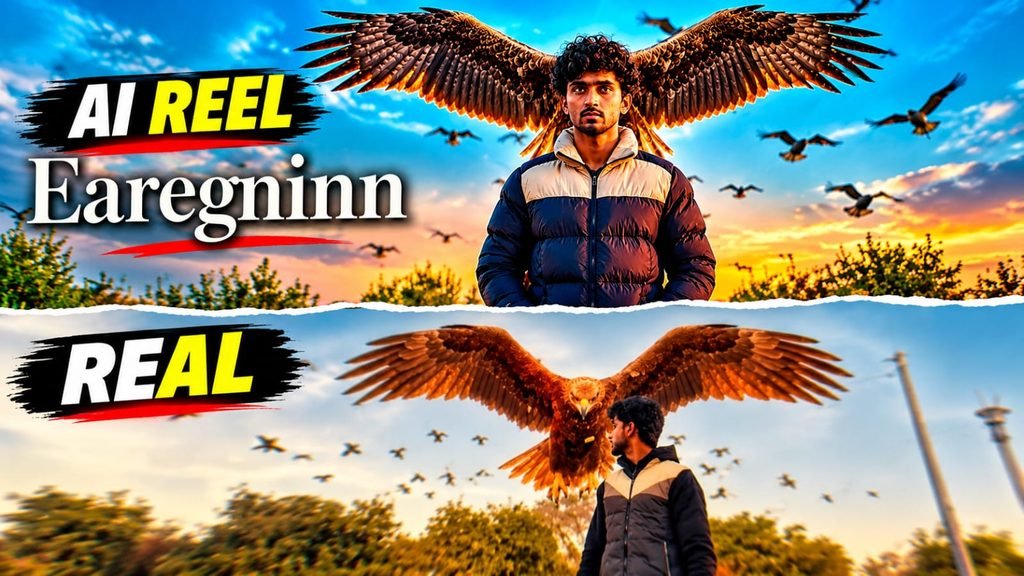
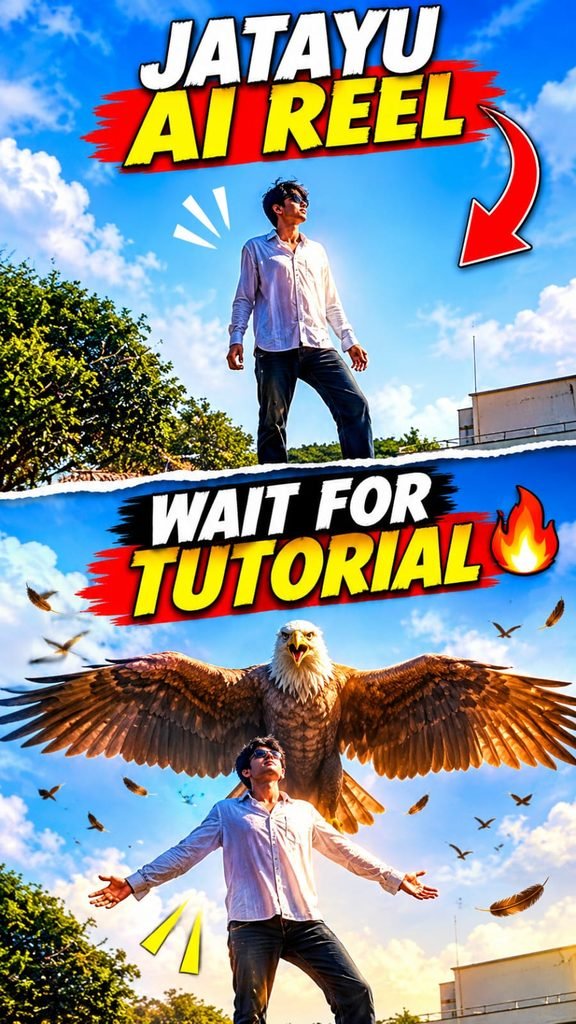
इस Jatayu AI Reel Prompt की मदद से आप अपनी फोटो को एक Dramatic Eagle VFX Video में बदलने की कोशिश कर सकते हैं। इसमें Sunset Background, Flying Birds और Giant Eagle जैसे Effects शामिल हैं।
इस वीडियो की सबसे खास बात है कि एक विशाल Eagle, व्यक्ति के पीछे अपने पंख फैलाकर दिखाई देता है। Golden-Hour Lighting और Cinematic Camera Movement इस Scene को Movie जैसा Look देते हैं।
अगर आप Instagram Reels या YouTube Shorts के लिए Creative AI Video बनाना चाहते हैं, तो नीचे दिया गया Prompt इस्तेमाल कर सकते हैं।
🎬 How to Create Jatayu AI Reel?
📋 Copy Jatayu AI Reel Prompt
इस Prompt में Giant Eagle, Flying Birds, Sunset Lighting और Cinematic Camera Effects की पूरी Details दी गई हैं।
✨ Why Is This Jatayu AI Reel Prompt Special?
इस Prompt में Giant Eagle VFX और Golden-Hour Lighting को एक साथ इस्तेमाल किया गया है। इससे वीडियो में Dramatic और Cinematic Look बनाने में मदद मिल सकती है।
Flying Birds, Eagle Wings और Camera Push-In जैसे Effects वीडियो को ज्यादा Attractive बना सकते हैं।
वीडियो की शुरुआत Black-and-White Look से होती है और फिर Color Transition के साथ Cinematic Scene दिखाई देता है।
बेहतर Result के लिए साफ Reference Photo का इस्तेमाल करें। अलग-अलग AI Video Generators में Output और Character Consistency अलग हो सकती है।
🔴 Subscribe to WEOM TECH
Get free AI Video Prompts, Cinematic Reels Tutorials, AI Editing Tips and YouTube Shorts Guides.
▶ SUBSCRIBE NOW